Mama's WLC
Simple Full Home Wi-Fi with Cisco WLC
July 19, 2020
To preface, I know very little about WiFi. It was always one of those fields in the corner that I nodded at but didn’t actually take the time to learn. And I still haven’t… But that’s the beauty of using a Cisco WLC. I can hook this up with minimal knowledge and get a great signal all throughout the house. I tried to do full home WiFi with those consumer quality WiFi repeaters but eventually they would lose sync and need to be reset. I even got some Aruba IAP-215s and did a mesh portal/point setup, but I kept running into issues with it locking up, and those were $500 APs several years ago!
What am I going to have to do to get some reliability around here? Install my own enterprise grade system? Alright, challenge accepted. I get to do something nice for my mother, and I get to play with some cool toys in the process.
The house in question, my mother’s, has surprisingly little RF penetration through the walls. For any system to really work it’s going to need a lot of APs. We’re going to want Wireless AC despite the tempting offer of 1142Ns on Ebay for $13 (WITH SHIPPING)! Slowly I’m starting to come to the horrifying realization that I need a full on controller and PoE+… This is starting to hurt the mental pocketbook. Let’s break out the napkin math of what we’ll need. All prices include shipping.
qty, description, each, total
1x 5508 WLC with confirmed 25 AP license $130 $130
5x 3702i Wireless AC access points $37 $185
5x AIR-PWRINJ4 for the APs (PoE+ required) $10 $50
1x GLC-T SFP port converter to RJ45 $12 $12
1x 8 port Gigabit Switch $17 $17
1x 1000 ft roll of CAT55e $45 $45
5x AIR-AP-BRACKET-2 $12 $60
Total: $499
At first glance there is definitely some sticker shock. Then again, this is an enterprise grade system with full mobility roaming for what used to cost $30,000+. The controller alone listed for $15,995! You won’t do much better with the retail alternatives, though. Google Nest offers what looks to be a decent mesh system for $349 which includes a router and 2 APs. But additional APs are priced at a whopping $150 each and I would need two more!
Another perspective to consider is that this isn’t purely a network upgrade anymore, this is a home upgrade. In 2005 we might have been alright with having wireless G in a single room of our home for $60, now that sounds like a joke for anything smaller than a studio apartment. In 2020 we crave access even while grilling! And access we will have!
Theatrics aside, I think this is the cheapest way to get wireless AC speeds using Cisco WLC. I must say after having the 5508 in my house for the last day or two, I’ve noticed that IT’S SO LOUD! It’s easily twice as loud as my Dell server. This thing is datacenter loud! As such, you’ll want to keep it out of earshot. This was a major oversight, and if you have another $200, I’d definitely recommend a Cisco 2504 small business WLC instead. With the 5508, you’re not going to be able to hide it behind your big screen and hope no one notices. This one is likely going in a closet or in the garage, temperatures be damned.
I was going to put in a Cisco switch until I realized how much everything was going to cost. I think I will stick to buying the injectors in a lot of 5 and just use an un-managed switch. I say that because for the 3702i to work using wireless AC, it needs to have 16.8v instead of the normal 15.4v standard PoE provides. You won’t get the full throughput with the 15.4. I measured ~120 Mbps both ways when on standard PoE vs 300-400 Mbps on PoE+. We need PoE+ and the ability for my mother and brother to replace things as they break.
A $15 injector or unmanaged switch is easy to swap out. Having them troubleshoot a Cisco switch really isn’t, and I would hate to consider swapping it out one day should the power supply fail. Just like my vlan here (1), we’re keeping everything simple. No need for trunks when management is on the same vlan as data and you’re using a single SSID. We just need connectivity back to the home router when we’re done.
Update: The installation went well. With the exception of a single AP that had a loose connector, the whole system has ran wonderfully for the past couple of months. I ended up only needing three 3702i APs to cover all major zones. I expect this system to last for years to come. I will update if it dies earlier than that. Happy networking!
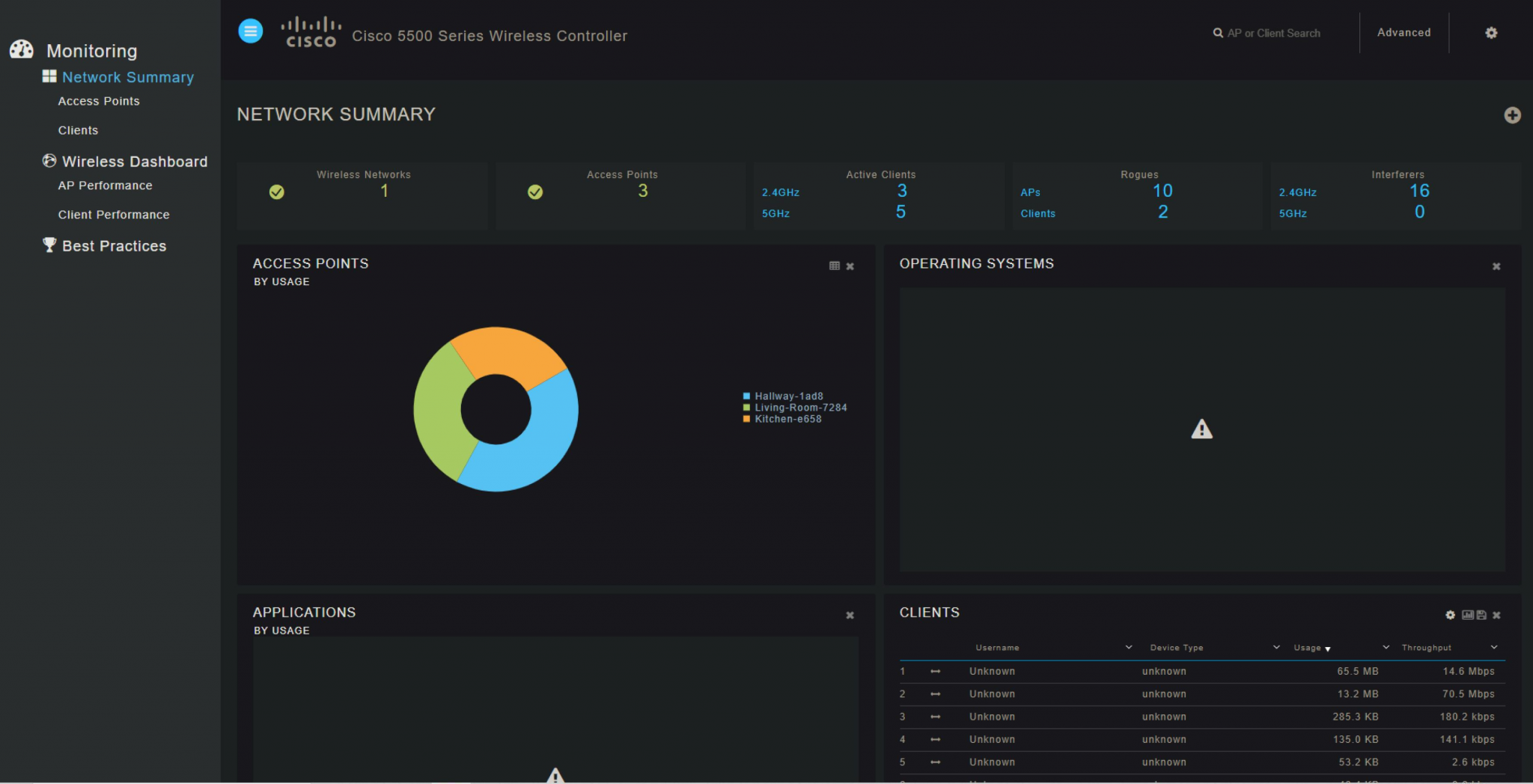
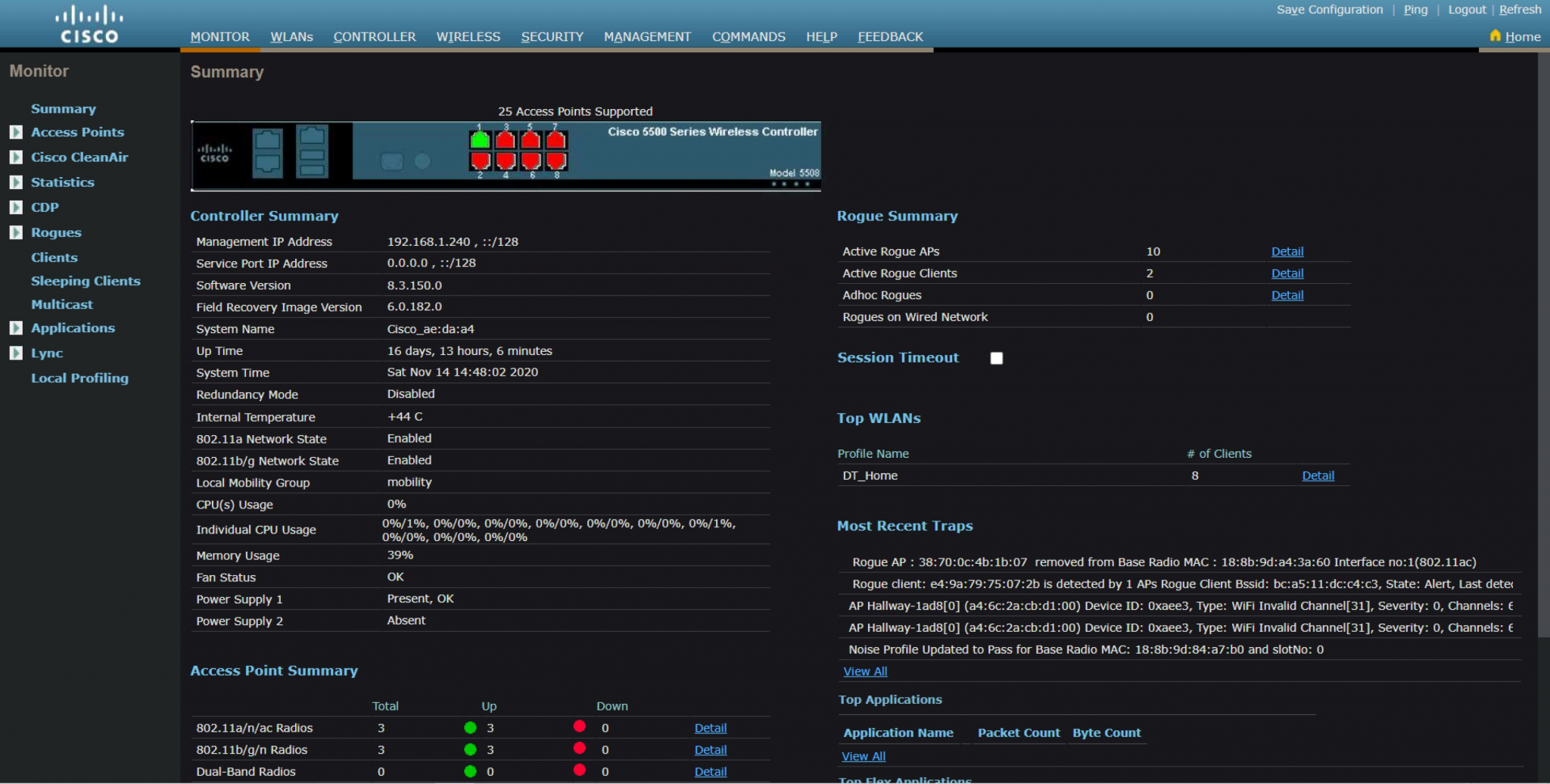
March 8, 2021 update:
The old 5508 has died a glorious death, albeit somewhat prematurely. Mom heard a loud whining and the next morning it was off. Later inspection reveals a clogged power supply fan was to blame. I replaced the whole thing with a 2504 WLC, which is virtually silent, and for $140 totally worth it. 5508 is now my home solution.